Quest 8 of 15
Voice assistants and accessibility
Voice tools can turn speech into text, read text aloud, translate short phrases, and help people interact with devices. They can improve access, but they may mishear names, accents, or languages. A respectful user checks important transcriptions and protects private conversations.
Start here
This module builds on earlier parts, but every important idea is explained in context. Voice tools can turn speech into text, read text aloud, translate short phrases, and help people interact with devices. They can improve access, but they may mishear names, accents, or languages. A respectful user checks important transcriptions and protects private conversations. As you read, connect each concept to the worked example and ask what a person must still decide.
Big idea
Voice tools can turn speech into text, read text aloud, translate short phrases, and help people interact with devices. They can improve access, but they may mishear names, accents, or languages. A respectful user checks important transcriptions and protects private conversations.
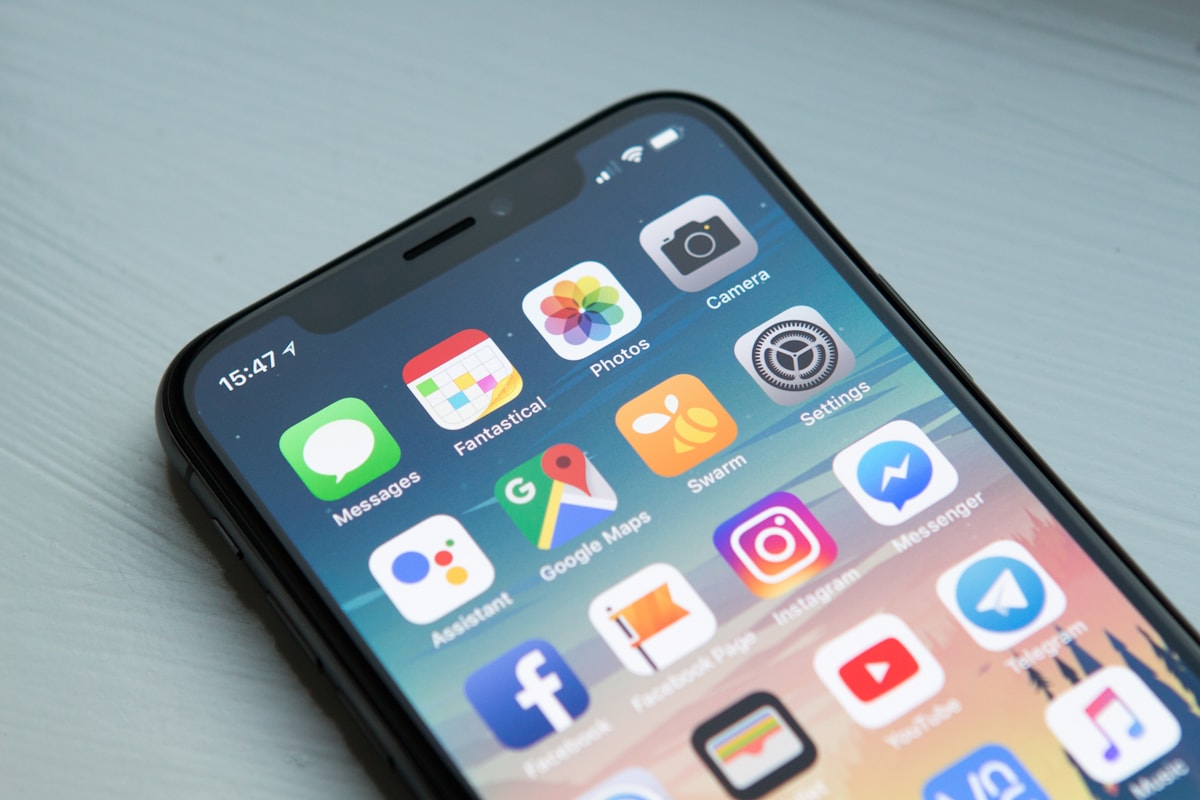
Learn one idea at a time
Read, explore, then mark each idea when you can explain it.
Idea 1 of 9
Decide whether voice or text best fits the user.
Live interactive diagrams
Tap nodes, stages, or cards to explore — these diagrams match this module’s ideas.
Voice assistant loop
Microphone captures speech — noise and accents can confuse recognition.
Choose a deep dive
Open the topics you want to explore. The detail stays folded until you need it.
Deep dive 1Access is personal
Accessibility is about removing barriers, not making assumptions about people. A learner may prefer read-aloud, captions, keyboard input, or a combination.

Deep dive 2Accents and error rates
Voice systems can perform differently across accents, languages, recording quality, and background noise. Check transcribed instructions before relying on them.

Deep dive 3From sound wave to sentence: how speech recognition works
When you dictate a message, your phone performs a chain of transformations that is worth following step by step, because each link explains a familiar error. Speech begins as a sound wave — rapid changes in air pressure that the microphone converts into a long list of numbers. The system slices this signal into tiny frames, a few hundredths of a second each, and computes which frequencies are present in every frame, producing something like a picture of the sound over time. A neural network trained on thousands of hours of recorded, transcribed speech then maps these frequency patterns toward units of sound and candidate words. Crucially, the acoustic evidence is ambiguous on its own — 'their' and 'there' sound identical, and a noisy minibus makes half the frames unreliable — so a second component, a language model, weighs which word sequences are probable. The final transcript is the compromise between what the audio suggests and what the language model expects. Work through an example: a nurse dictates 'patient from Gutu, BP one forty over ninety.' The acoustic model may hear 'Gutu' clearly, but if the system's language model was trained mostly on American English text, it expects 'get you' or 'ghetto' and may override the correct hearing, while the numbers survive because medical-style number phrases are common everywhere. This mechanism explains why error rates differ across speakers: systems transcribe best the accents, languages, and vocabulary most common in their training data, and for decades that meant American and British English. Studies have measured substantially higher error rates for other Englishes, and speakers of Shona or Ndebele mixing languages mid-sentence — completely normal speech in Zimbabwe — face systems that were rarely trained on such code-switching, though data collection efforts for African languages are steadily improving matters. The misconception to correct is that a transcription error means the user spoke badly. The user spoke naturally; the model's training data spoke differently. The practical habits follow from the mechanism: review names, places, and numbers, since those are exactly where the language model's expectations override the audio; reduce background noise when possible; and when a tool consistently fails your accent or language, the deficiency belongs to the tool.
Deep dive 4Assistive technology before and after AI: why this generation of tools matters
Voice and language AI matter most to the people for whom reading, writing, seeing, or hearing standard interfaces is a daily barrier, and understanding this history shows why the current generation of tools is genuinely significant rather than merely convenient. Assistive technology long predates AI: braille gave blind readers text in the 1800s, hearing aids amplified sound, and early screen readers in the 1980s spoke on-screen text in robotic voices. What those tools shared was rigidity — they transformed one fixed format into another and broke whenever content was unusual, such as an image without a description or a scanned document with no machine-readable text. Machine learning changed the mechanism from fixed transformation to learned interpretation. A modern screen reader paired with a vision model can describe an unlabelled photograph; live caption systems turn any speech on a device into text in real time, making voice notes and radio usable for a deaf learner; text-to-speech has moved from robotic monotone to natural voices that sustain attention through a whole chapter; and language models can rewrite a dense bureaucratic paragraph into plain language for a reader with dyslexia or limited literacy. Work through a concrete example: a Form 4 learner with low vision receives a photocopied past examination paper. The old chain of tools stopped at the photocopy, which was just an image. Today a phone camera performs optical character recognition to extract the text, a text-to-speech engine reads it aloud, and the learner dictates working notes back by voice — an end-to-end path from paper to participation that requires no specialist equipment beyond a phone. The same properties that make these tools powerful create their limits: because interpretation is learned from data, it inherits the data's gaps, so image descriptions can be wrong, captions degrade with accent and noise exactly where accuracy matters most, and few tools handle local languages well. The misconception to correct is that accessibility features serve a small group and can be treated as an afterthought. Curb cuts, invented for wheelchairs, ended up serving everyone with a cart or a pram, and the same pattern holds here: captions help commuters in noisy kombis, read-aloud helps tired eyes, and voice input helps anyone whose hands are busy. Designing with disabled users in mind produces tools that work better for everybody — and asking each person what support they actually want remains the first step.
Deep dive 5Worked example: Voice assistants and accessibility
Munashe uses voice typing to prepare a message for a teacher. A responsible response is: Read the typed message and correct any errors before sending. Correct. A quick review catches misheard words and keeps the message clear. Use this case to separate what the technology contributes from what people contribute. The team should compare the intended outcome with a baseline where applicable, record important assumptions, and keep a clear route to correct or stop the process.
Deep dive 6Local check for Voice assistants and accessibility
Ask whether the examples, data, and assumptions fit your school, company, or community. Generic demos often miss local names, laws, connectivity, and languages.
Deep dive 7Voice assistants start with a microphone
Speech becomes text, then a reply. Noise and accents can confuse recognition — read the transcript before sending important messages.
One-minute challenge
Connect this lesson to real life
Name one situation where this idea could help, and one thing a person should still check.
Explore a real-world example
Use the arrows to connect the idea to a visible situation.
Photo example
More than one way to participate
Captions, read-aloud, and voice input can offer different routes into the same learning activity.
Key terms
Tap a term to flip and read the definition.
Optional further learningFree textbooks and trusted online resources
These sources informed the course structure. Use them to revisit a concept or study it in more depth.
Ready check
Tick each idea only when you could explain it without looking back.
Ready for practice? Use a short, non-private sentence you can compare with the original recording.
Extra context (audience, logistics, curriculum notes)
Built for: Continues Introduction to AI; still zero coding.
Formats: Learn scroll · Practice interactions · Quiz · Optional chat lab
Module 8 — Voice assistants and accessibility
Next up
Ready for the next part?
When you've finished the reading, inline exercises, and knowledge check for this part, check the box to continue.